page loading & asynchronism
reminder : a few orders of magnitude
CPU + memory : 1 ns
storage :
SDD : 100 µs
HDD : 1-10 ms
USB transfer latency : 1 ms
networking :
light-speed Paris-SF : 30 ms
light-speed Paris-Nice : 3 ms
plus, software stack traversals
plus, protocols = several back and forths
bottom line: more in the several 100s of ms
frequently several seconds
a simple page
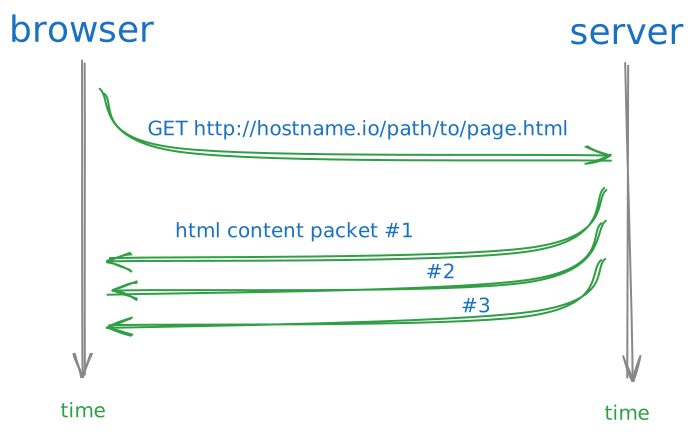
when loading the simplest possible page, contents get scattered into packets
so it does not arrive all at once
a page with a nested page
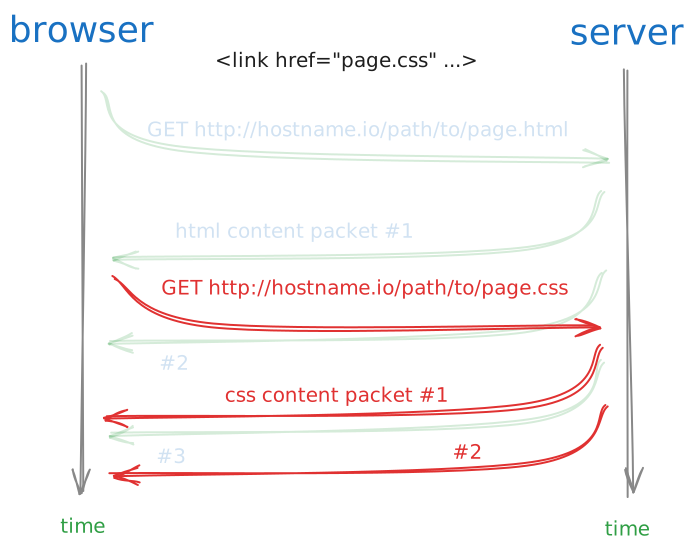
if e.g. the html page uses one CSS stylesheet,
there are 2 HTTP requests at work - essentially at the same time
loading a real page
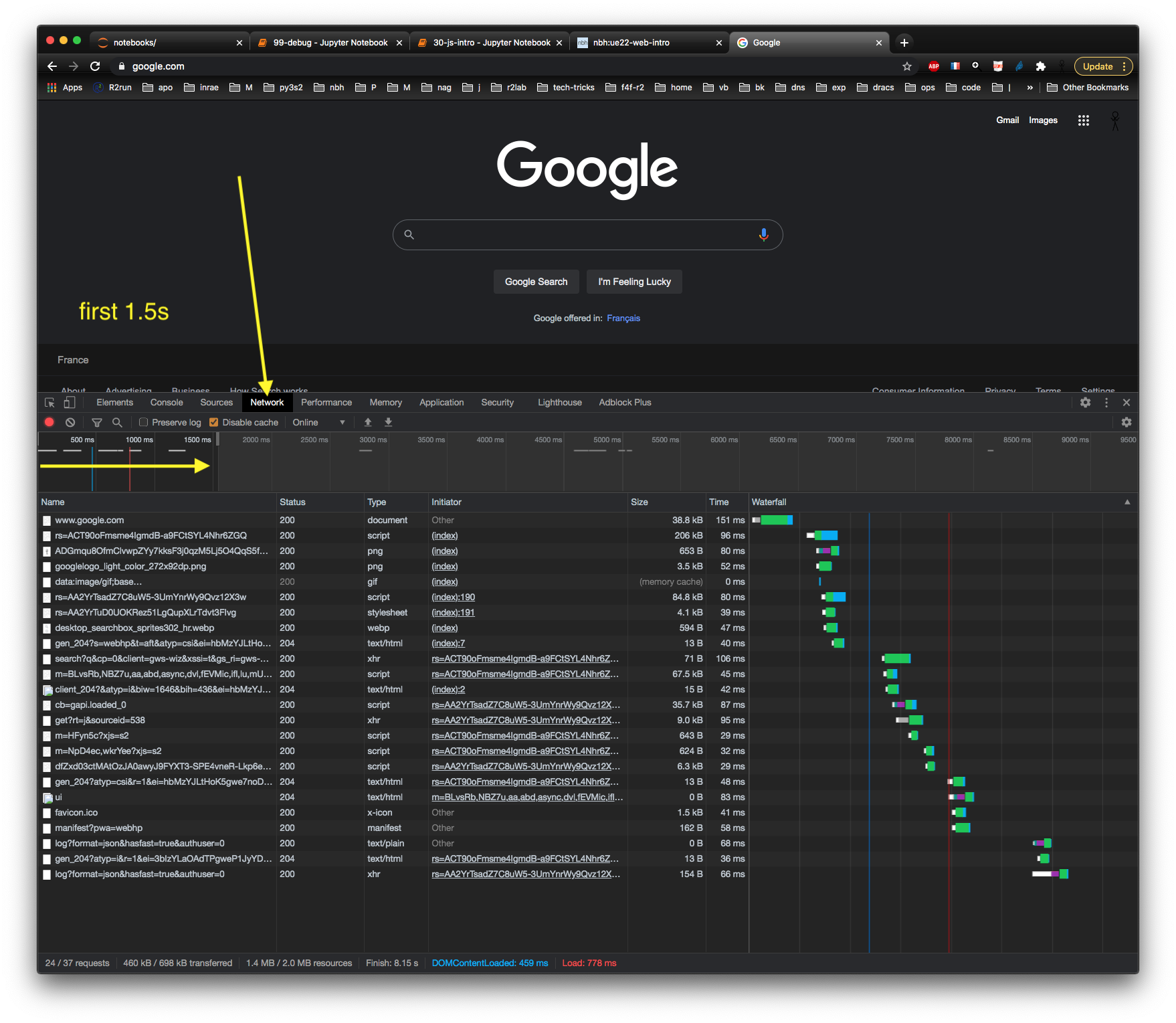
Devel Tools can visualize the actual loading workflow
JS loading - howto
open topic
loading javascript is a bit tricky and is still an open topic because of:
asynchronism:
JS code might need to be loaded before the page is displayed
or after the page is displayed
or even while the page is being displayed
the evolutions of the language over time: proper modules are available only since ES2015
and that takes time to get widely adopted
and dependencies...
we won’t even touch on the subject of dependencies here, but be aware that:
real-world JS programs often depend on 3rd-party libraries
those libraries might themselves depend on other libraries
hence the need for a dependency management system
simplest case
for our use case, it’s simple though:
we have a single HTML page, that needs to load one JS fragment
and the good news is, there is one simple way : the <script> tag, that comes in 2 flavours:
whether code is in a separate location (recommended)
or inline (occasionnally handy)
<script src="..."> : load a URL
most often, code is stored in a separate location
either as a companion to the HTML page
or in a remote location
for that, use <script src="some-url"></script>
so e.g. to load a JS file in the same folder, simply do
<script src="foo.js"></script>we can also use any URL in the
srcattribute to load from other folders or locations
deferred loading
very convenient: by using <script defer>, you can ensure that the script runs only once the entire page is loaded
<script src="foo.js" defer></script><script> with inline code
quite simply, you can inject some JS code right into your HTML document, through a
<script>tagthis is not the usual way to do it though (for reusability, primarily)
<script>

  function hello() {
    console.log("Hello world");
  }

  hello()

</script>
practice: <body> children count
take a working html page of your choice
create a separate file named
loading.jsthat containsconsole.log('loading.js') console.log(`body has ${document.body.childElementCount} children`)tweak the html header so that
loading.jsgets loadedopen the html page, look at the console
check that the message properly displays the number of children of your
<body>tag